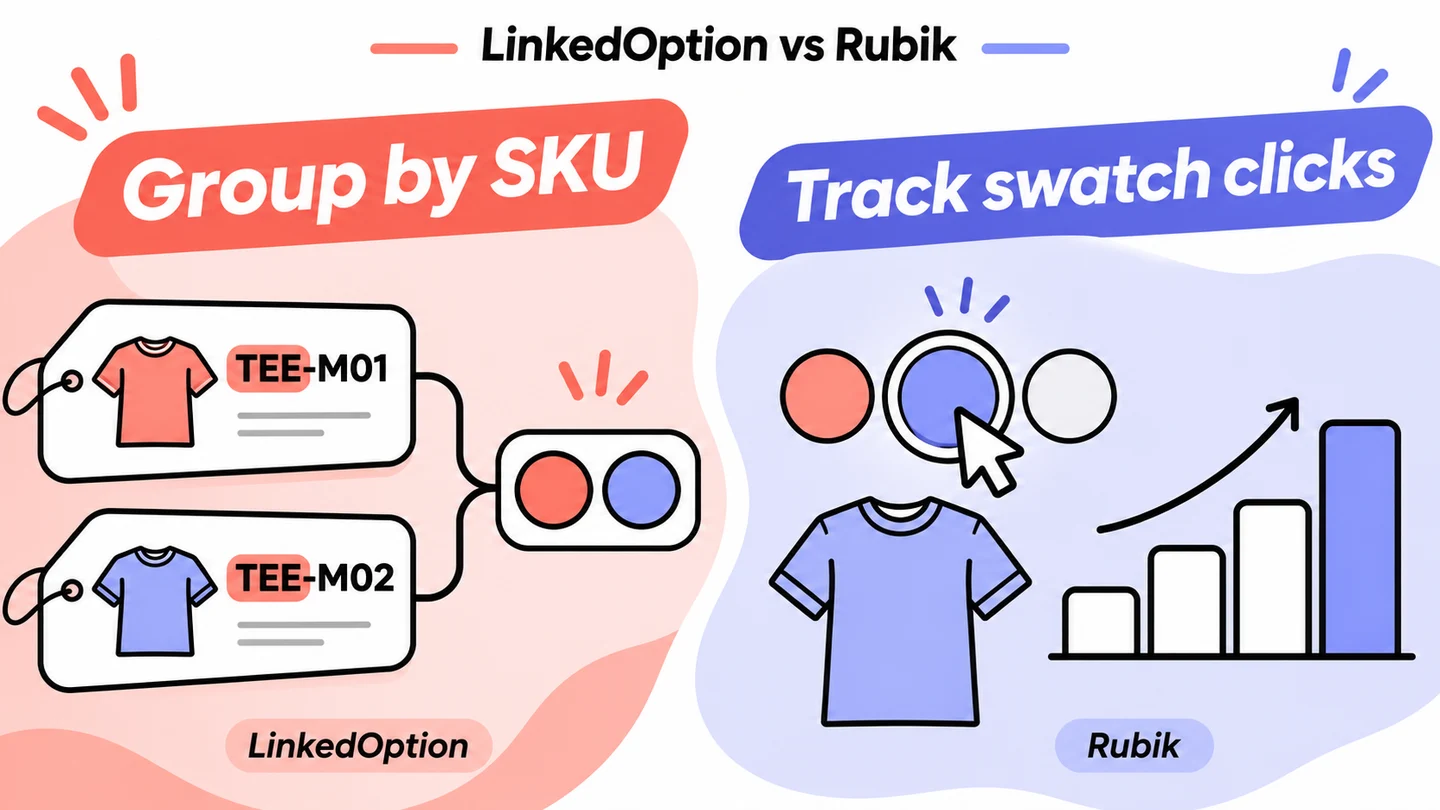
LinkedOption vs Rubik comes down to how many product groups you need and which extras matter to you. Pick LinkedOption Combined Listings if you need 101 to 3,000 product groups at a lower monthly price, want to bulk-group by SKU or collection, or need a REST API for product groups. Pick Rubik Combined Listings Swatch if you want a larger free plan (5 groups with every feature), AI tools that fill in option names and swatch colours, built-in swatch click analytics, or more than 3,000 groups.
Both apps carry the Built for Shopify badge, both have a 5.0 rating, both work on every Shopify plan, and both keep each linked product's own URL, so neither is a bad choice. The rest of this post shows exactly where they differ.
LinkedOption vs Rubik at a glance
| LinkedOption Combined Listings | Rubik Combined Listings Swatch | |
|---|---|---|
| Developer | Lightcone | Craftshift |
| On the App Store since | December 28, 2022 | February 3, 2026 |
| Rating | 5.0 (147 reviews) | 5.0 (114 reviews) |
| Built for Shopify | Yes | Yes |
| Shopify plans supported | All plans | All plans |
| Free plan | 3 product groups, single-option groups, translations | 5 product groups, every feature, 100 AI credits a month |
| Paid plans (monthly) | $9.99 (100 groups), $19.99 (500), $39.99 (3,000) | $10 (100 groups), $30 (500), $50 (5,000) |
| Annual billing | Basic: $99.90/year (save 17%) | $100, $300 or $500/year (save 17%) |
| Free trial on paid plans | 7 days | Not listed |
| App languages | 7 | 17 |
LinkedOption vs Rubik key facts (Shopify App Store, checked Oct 23, 2026)
What both apps do
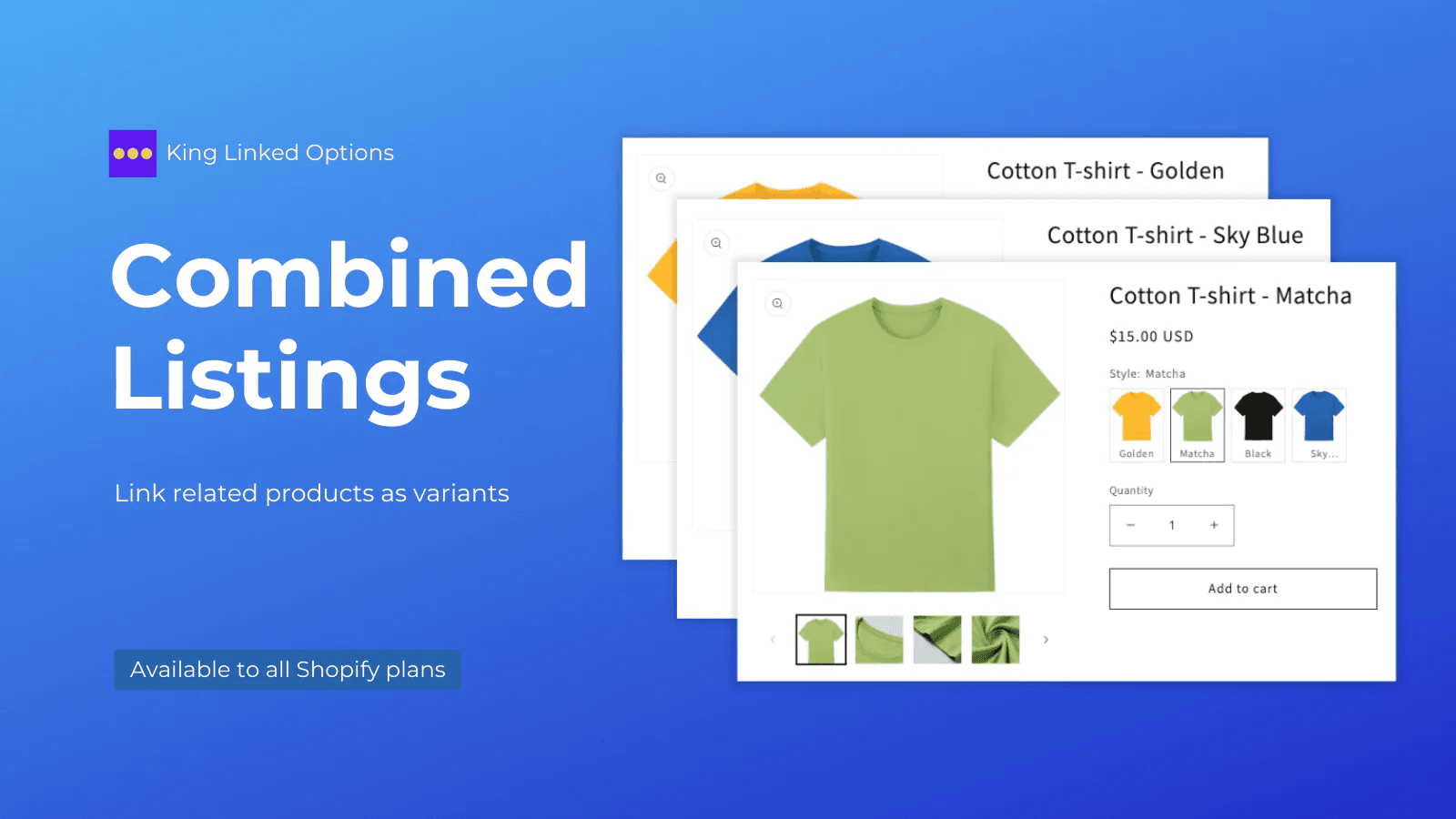
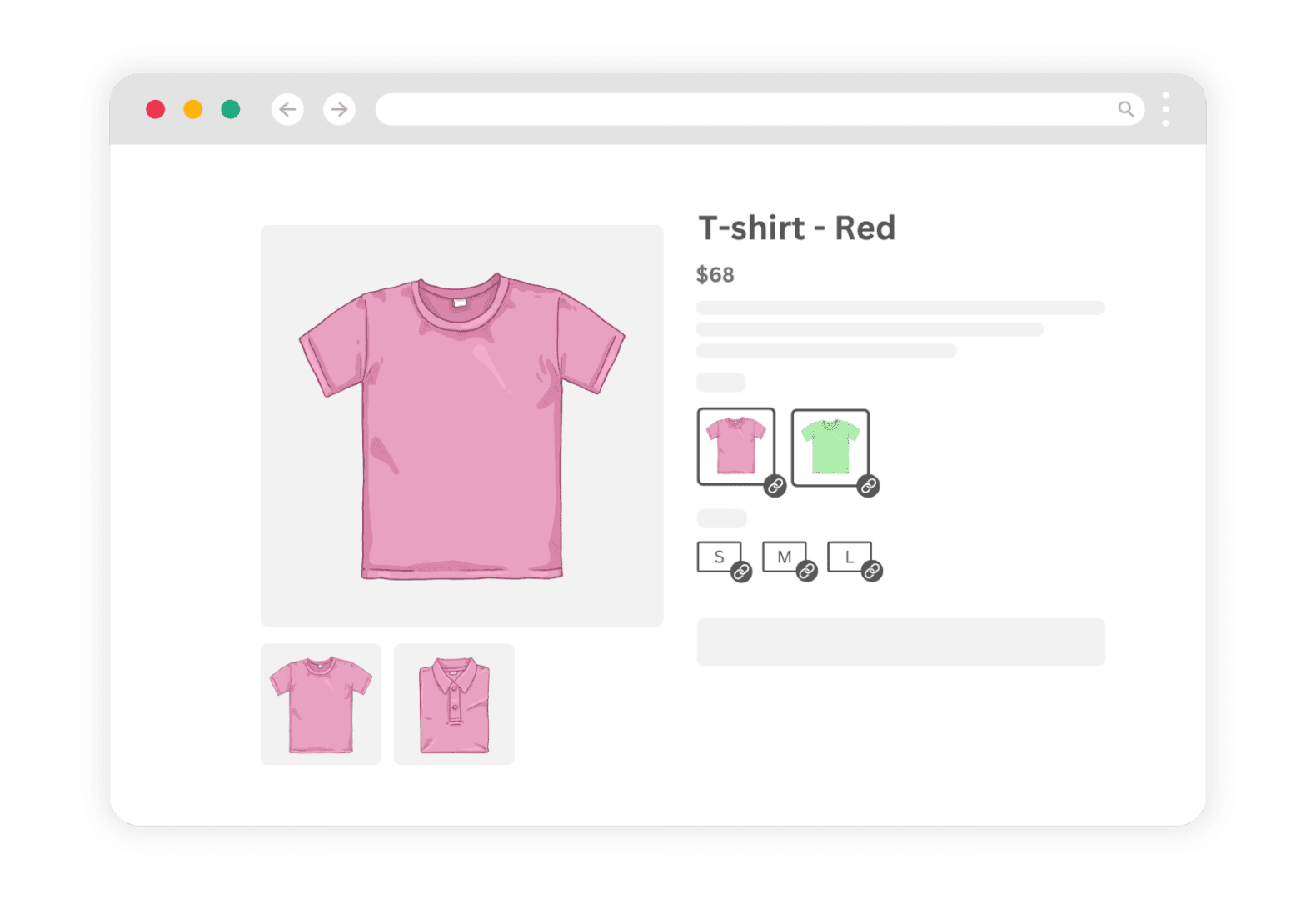
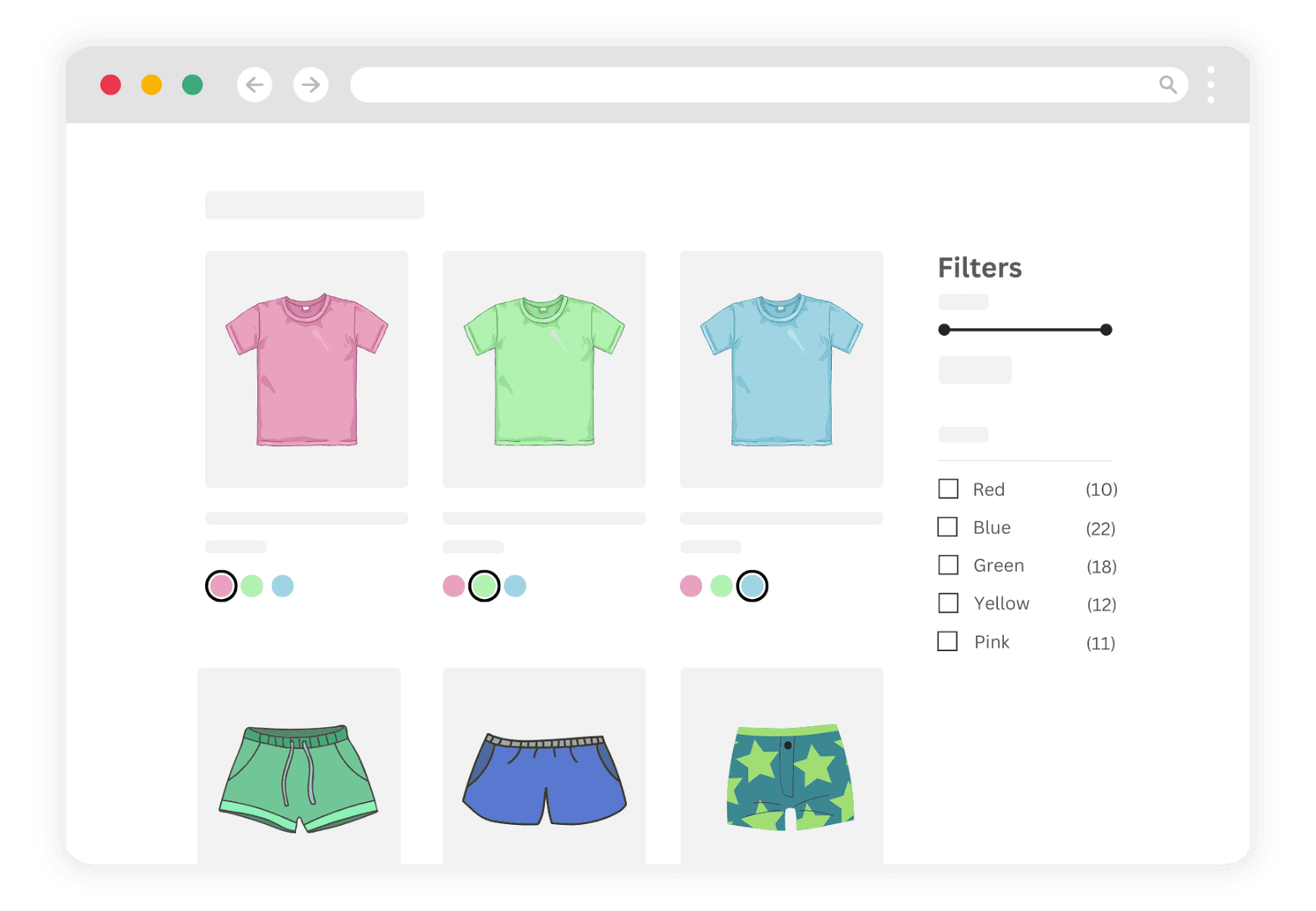
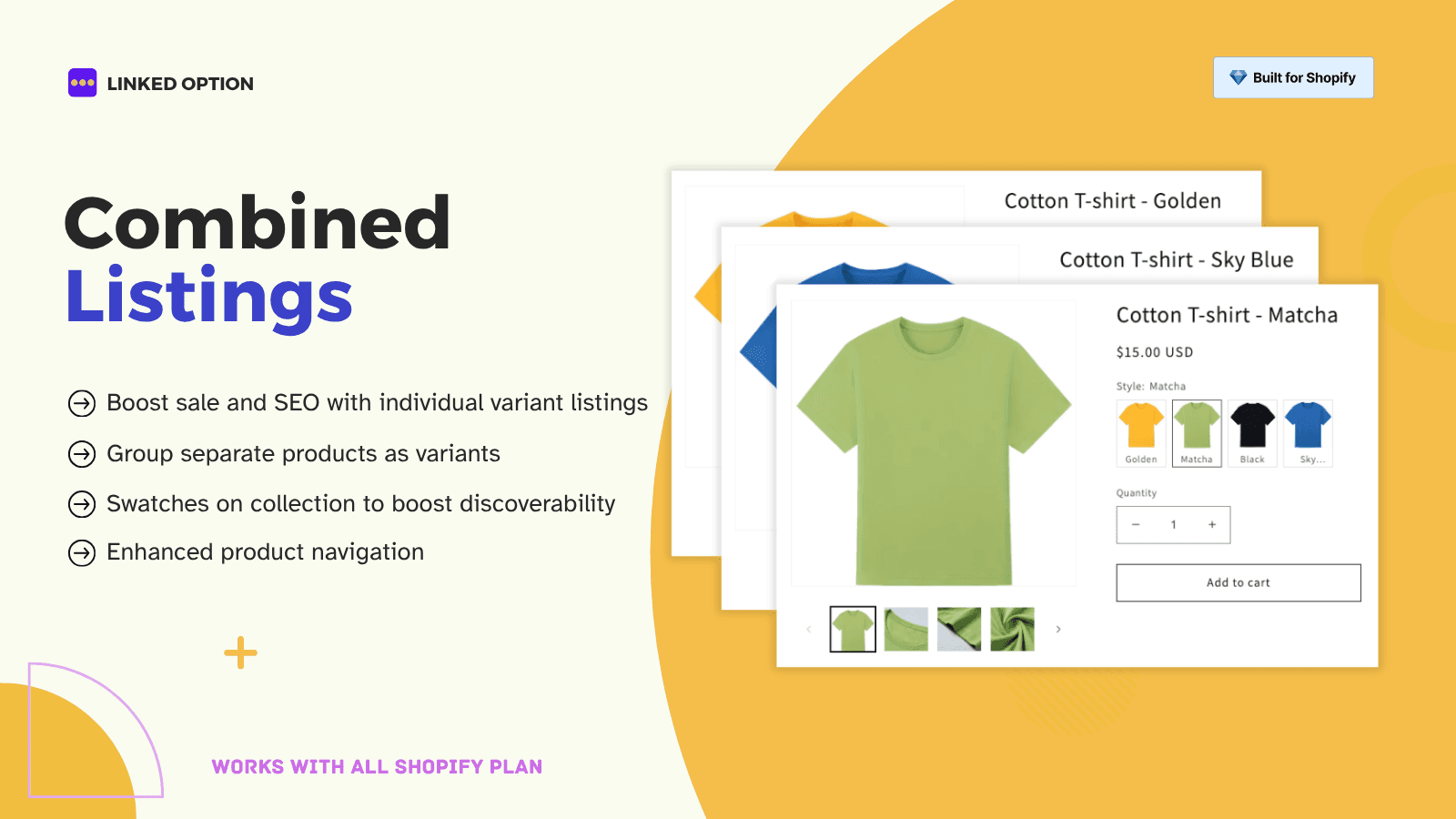
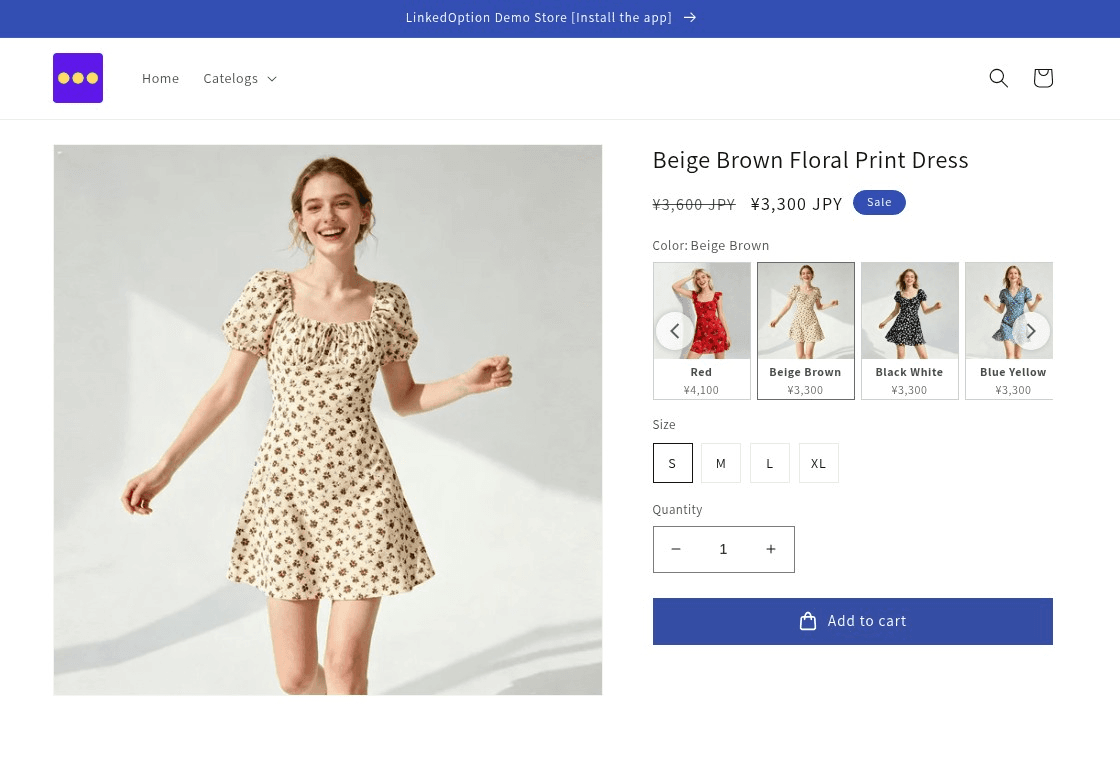
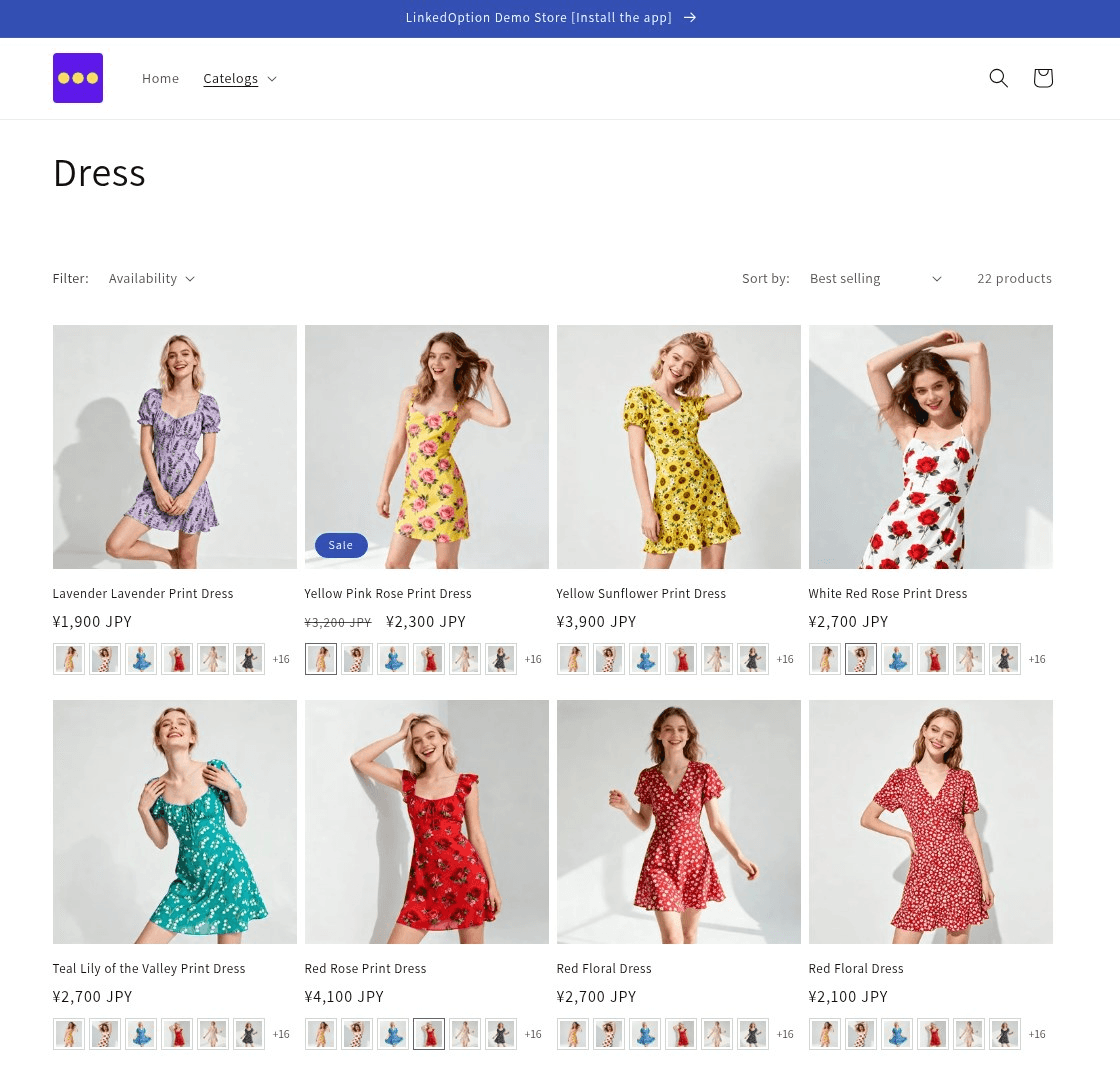
Both apps solve the same problem. Many stores keep each colour or style as a separate Shopify product, for SEO, for inventory, or because a supplier feed demands it. On their own, those products have no link to each other, so a shopper looking at the green T-shirt never sees that it also comes in blue. LinkedOption and Rubik group those separate products and show them as swatches, buttons or dropdowns, so they behave like variants on the storefront while each product keeps its own URL, title, description and stock.
That matters because Shopify's own Combined Listings app is available only on Plus and enterprise commerce plans. Both LinkedOption and Rubik state on their listings that they work on any Shopify plan.
Pricing: LinkedOption vs Rubik
Both apps charge by the number of product groups, not by your Shopify plan. Here is how the tiers line up, using the prices on each app's App Store listing (LinkedOption, Rubik) and Rubik's pricing page.
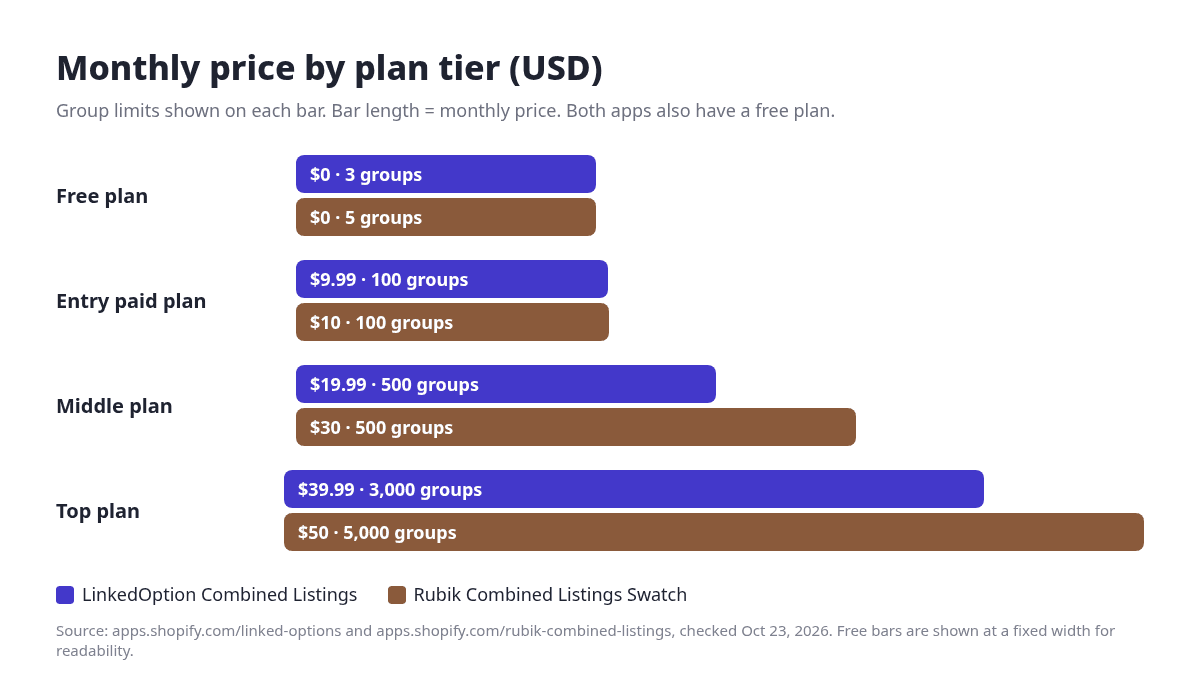
- Up to 100 groups: effectively the same price ($9.99 vs $10 a month).
- 101 to 500 groups: LinkedOption is $19.99 a month and Rubik is $30, a difference of $10.01 a month.
- 501 to 3,000 groups: LinkedOption is $39.99 a month for 3,000 groups. Rubik's next plan is $50 a month for 5,000 groups.
- More than 3,000 groups: Rubik's top listed plan covers 5,000 groups, while LinkedOption's top listed plan stops at 3,000.
- Free plan: Rubik's is larger: 5 groups with every feature, versus LinkedOption's 3 groups with single-option groups only.
How features are split across plans
This is the biggest structural difference. Rubik says every feature is on every plan, including the free one; its plans differ only in group count and monthly AI credits. LinkedOption unlocks features by plan: import/export, auto-sync, title-pattern automation and product-card swatches start on Basic ($9.99); multi-option groups, subcategory groups, bulk option updates and all automation start on Advanced ($19.99); conditional swatch images and the product group API are on Premium ($39.99).
So if you only need simple single-option groups (for example, one product per colour), LinkedOption's Basic plan covers that. If you need multi-option groups such as Style × Color on a budget of $10 a month, Rubik includes them at that price and LinkedOption does not.
Feature comparison
| Feature | LinkedOption | Rubik |
|---|---|---|
| Each product keeps its own URL and inventory | Yes | Yes |
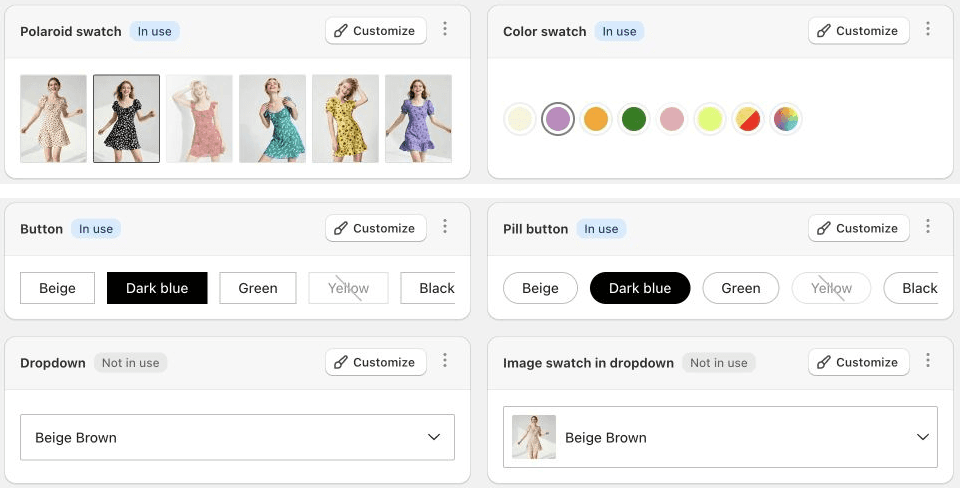
| Swatch styles | Color, image, button, dropdown | Color and image swatches, buttons, dropdowns |
| Swatches on product cards / collection pages | Yes (Basic plan and up) | Yes (all plans; off by default) |
| Bulk grouping methods | Title pattern, SKU, tag, collection, CSV/XLSX | Title pattern, product tag, metafield, CSV |
| Import / export groups | Yes (Basic plan and up) | CSV import; CSV for translations |
| Multi-option groups (e.g. Style × Color) | Advanced plan and up | Yes (all plans) |
| Subcategory groups / sub-sections | Advanced plan and up | Yes (all plans) |
| Auto-sync product info | Basic plan and up | Yes (all plans) |
| Out-of-stock handling | Hide out-of-stock options | Cross out, move to end, or hide; auto-hide draft and archived products |
| AI setup tools | Not listed | AI credits for colour and option filling; AI style assistant |
| Developer / agent access | Product Groups REST API (Premium) | MCP server (all plans) |
| Swatch click analytics | Not listed | Yes |
| Conditional swatch image for multi-option groups | Yes (Premium) | Not listed |
| Translations | Yes (all plans) | Yes (bulk via CSV) |
LinkedOption vs Rubik feature comparison. "Not listed" means the app's listing or site does not mention it.
Where Rubik is stronger
Rubik launched in February 2026 and has moved quickly. These are its real advantages, based on its App Store listing and documentation.
A more generous free plan
Rubik's free plan gives you 5 product groups with every feature and no time limit. LinkedOption's free plan gives you 3 groups with single-option groups. If you want to test multi-option groups or auto-sync before paying, Rubik lets you do that for free.
AI-assisted setup and agent tools
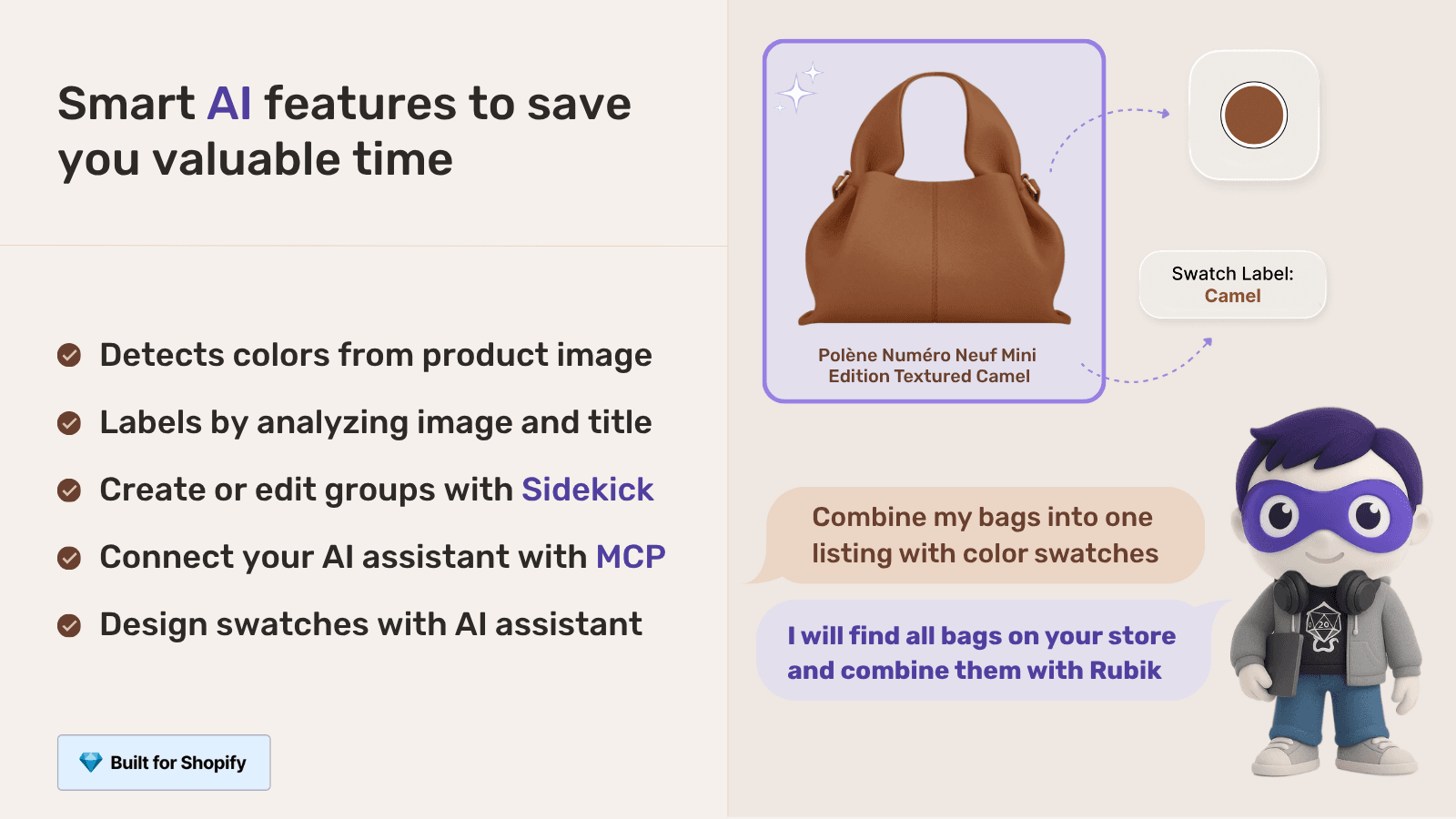
Rubik includes monthly AI credits (100 on the free plan, up to 50,000 on the top plan). Its AI reads product images and titles to fill in option values and swatch colours, and an AI assistant can adjust swatch styling. Rubik also offers an MCP server and lists Sidekick and AI agents among its integrations. LinkedOption's listing does not mention AI features.
Swatch click analytics
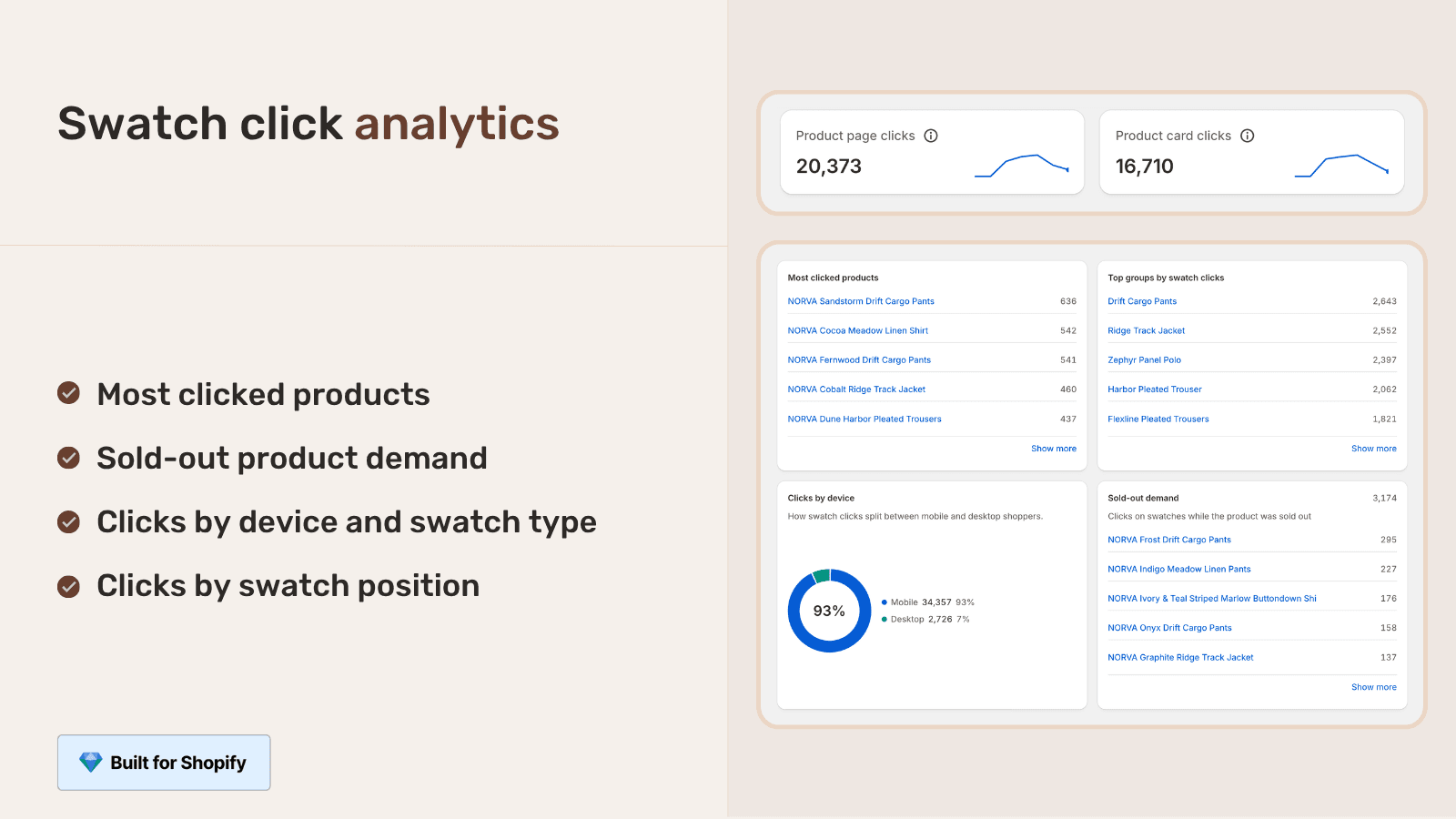
Rubik shows which swatches shoppers click: most-clicked products, sold-out product demand, and clicks by device, swatch type and position. LinkedOption's listing does not mention built-in analytics.
More merchandising options for out-of-stock items
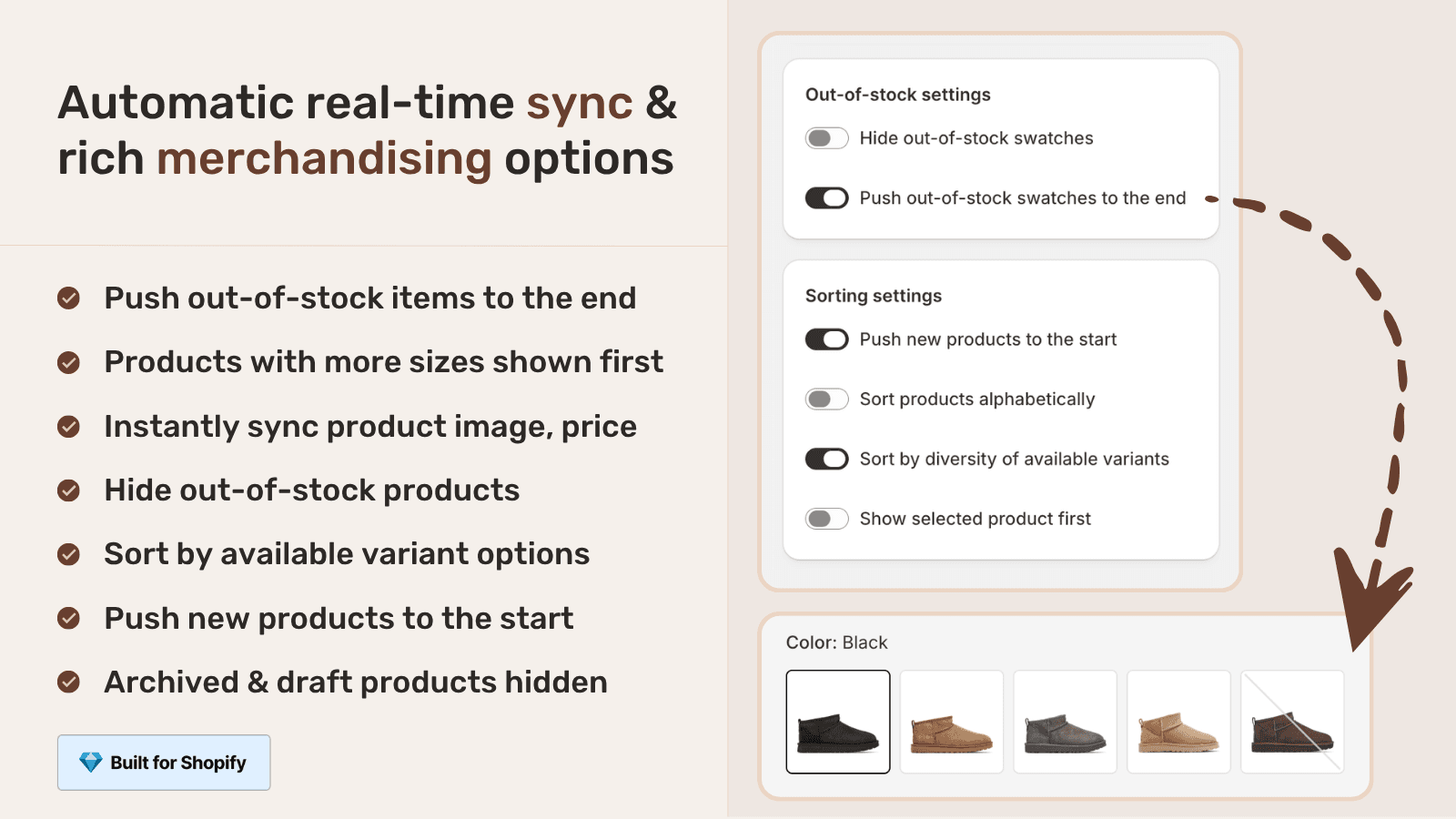
Rubik can show out-of-stock swatches crossed out, push them to the end, or hide them, and it automatically excludes draft and archived products. It also offers sorting options such as pushing new products to the start. LinkedOption can hide out-of-stock options.
Higher ceiling and more languages
Rubik's top listed plan covers 5,000 groups versus LinkedOption's 3,000, and its app is available in 17 languages versus LinkedOption's 7.
Where LinkedOption is stronger
Lower price at 500 and 3,000 groups
For a catalogue of 101 to 500 groups, LinkedOption costs $19.99 a month against Rubik's $30. For up to 3,000 groups, LinkedOption is $39.99 against Rubik's $50 plan. If your catalogue fits these tiers, LinkedOption is the cheaper of the two.
More ways to group products in bulk
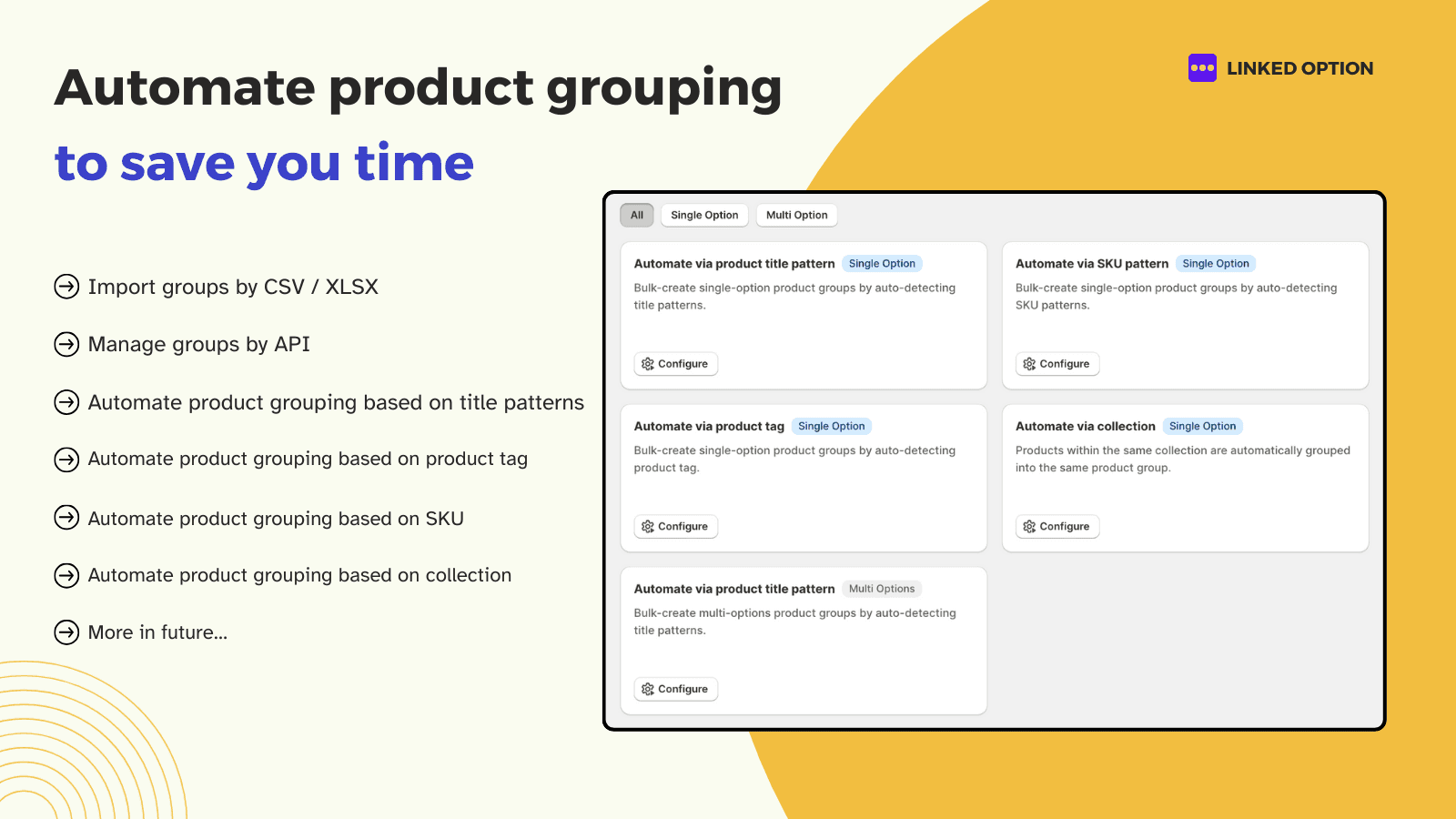
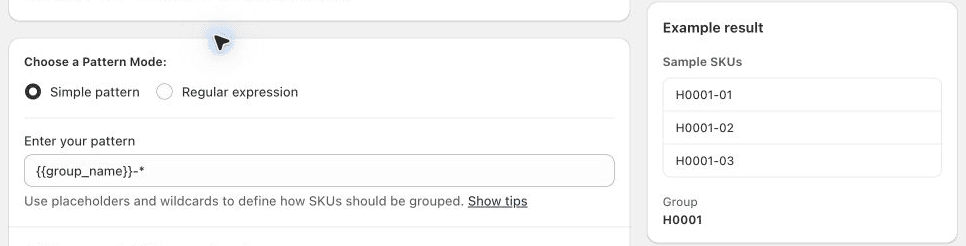
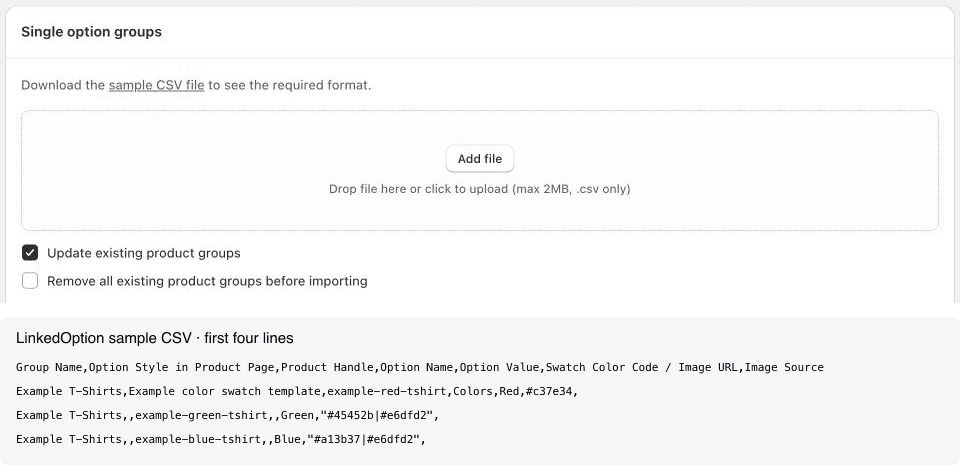
LinkedOption can create groups automatically from a product title pattern, SKU, product tag or collection, import groups from CSV or XLSX, export them again, and manage them through an API. SKU- and collection-based grouping are not listed by Rubik, which groups by title pattern, tag, metafield or CSV.
Multi-option and subcategory groups
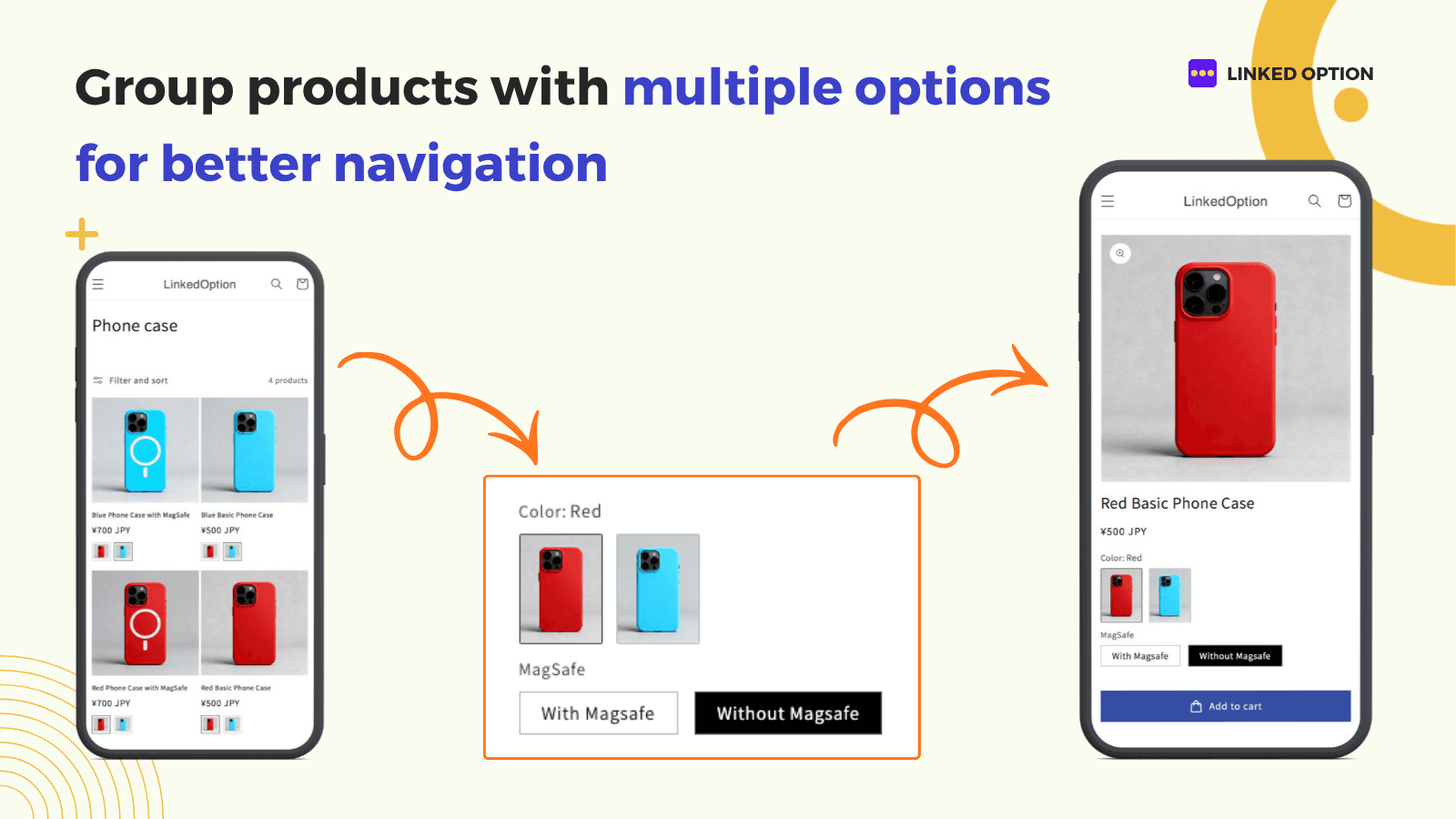
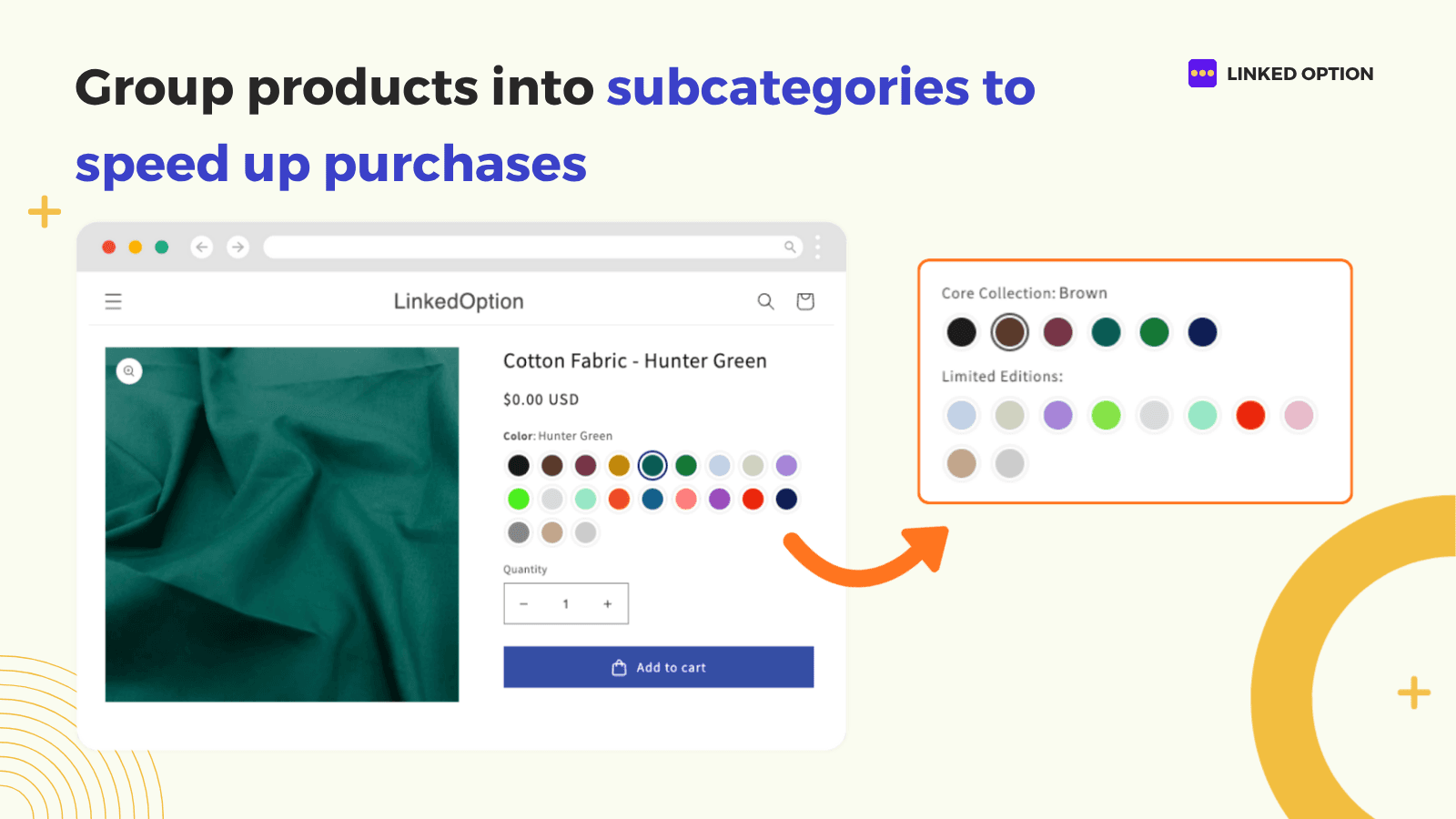
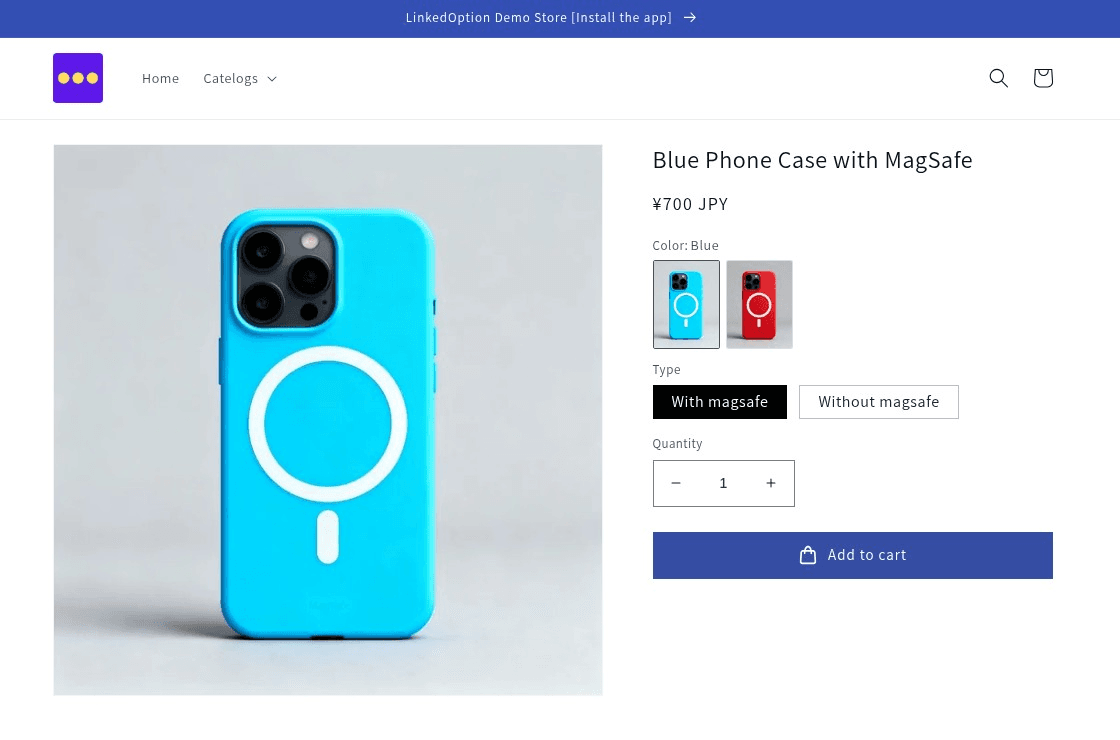
LinkedOption supports multi-option groups, where each combination such as Style and Color maps to its own product, and subcategory groups, where swatches are split into sections such as a core collection and a limited edition. Both start on the Advanced plan. To be fair, Rubik now lists multi-option swatches and subcategory groups too, on all plans.
A REST API and conditional swatch images
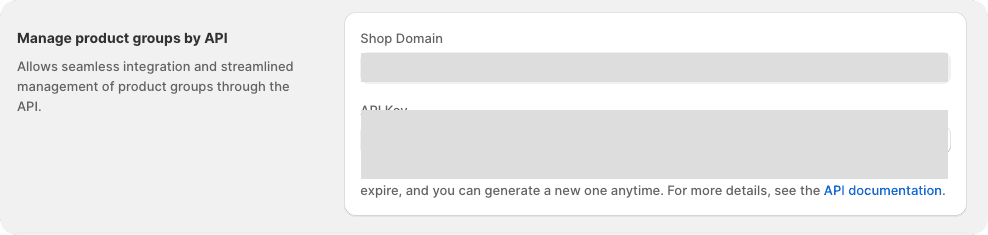
On the Premium plan, LinkedOption offers a Product Groups API to create, update, delete and list product groups from your own systems, such as a PIM or ERP. Premium also adds conditional swatch images for multi-option groups. Rubik's listing does not mention a REST API for groups; it offers an MCP server for AI agents instead.
A longer track record
LinkedOption (formerly King Linked Options) has been on the Shopify App Store since December 2022 and has 147 reviews, 146 of them five stars. Rubik has been listed since February 2026 and has 114 reviews, 111 of them five stars. Both records are strong; LinkedOption's is longer.
A note on Rubik's comparison article
Rubik's developer wrote Rubik vs LinkedOption Combined Listings, which says its data comes from the App Store as of April 2026. It is a useful read, and it is open about being written by Rubik's developer. A few details have changed since then:
- It still lists LinkedOption's free plan as 1 group. That is outdated: LinkedOption's free plan is 3 product groups (confirmed; matches the Shopify App Store). getalltool.com may still say 1 and should be updated.
- It says an annual discount is not mentioned for LinkedOption. The listing now shows $99.90/year for Basic (save 17%).
- It says Rubik does not offer subcategories. Rubik's own listing now includes subcategory product groups on all plans.
The same article reports a storefront speed test by Rubik in which the two apps rendered swatches in 1,251 ms (Rubik) and 1,263 ms (LinkedOption), which it calls nearly identical. That is Rubik's benchmark; we have not run an independent test.
Which one should you choose?
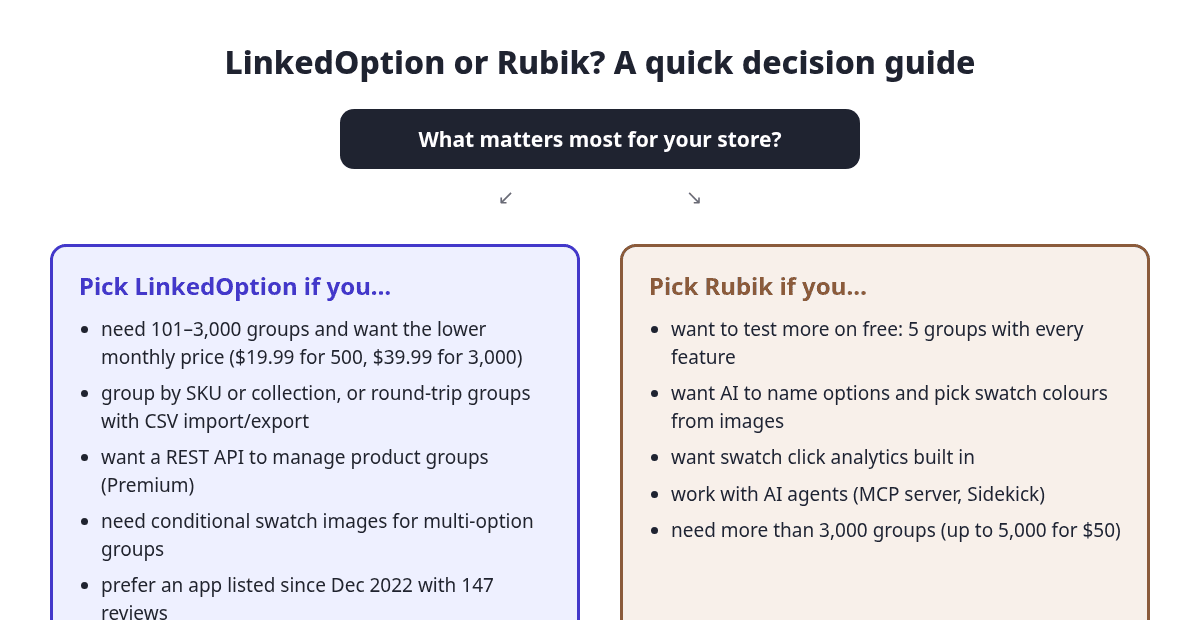
Choose LinkedOption if:
- you need between 101 and 3,000 product groups and want the lower monthly bill
- you want to group products automatically by SKU or collection, or round-trip groups through CSV/XLSX
- you want a REST API to manage product groups from another system
- you sell multi-option products and want conditional swatch images
Choose Rubik if:
- you want to test multi-option groups and auto-sync on a free plan
- you want AI to name options and pick swatch colours from product images
- you want swatch click analytics built in, or you work with AI agents via MCP
- you need more than 3,000 groups
Try LinkedOption Combined Listings free
Start with 3 product groups on the free plan. Paid plans include a 7-day free trial. View on the Shopify App Store
Switching between LinkedOption and Rubik
Product groups are stored inside each app, so switching means recreating your groups in the new app. Both apps can import groups from CSV, and both can detect groups from title patterns or tags, which speeds this up. Run only one combined listings app on your storefront at a time; two apps adding swatches to the same product page will conflict. Rubik's article gives the same advice.
Frequently asked questions
Is LinkedOption or Rubik cheaper?
At 100 groups they cost about the same ($9.99 vs $10 a month). At 500 groups LinkedOption is $19.99 and Rubik is $30. LinkedOption's top plan is $39.99 for 3,000 groups; Rubik's is $50 for 5,000 groups. Prices from the Shopify App Store, checked October 23, 2026.
Which app has the better free plan?
Rubik's. It includes 5 product groups with every feature and 100 AI credits a month. LinkedOption's free plan includes 3 product groups with single-option groups and translations.
Do LinkedOption and Rubik work without Shopify Plus?
Yes. Both apps state that they work on every Shopify plan. Shopify's own Combined Listings app is limited to Plus and enterprise commerce plans.
Do linked products keep their own URLs and SEO?
Yes, in both apps. Products are grouped, not merged, so each product keeps its own URL, title, description and inventory.
Can I use LinkedOption and Rubik at the same time?
It is not recommended. Both add swatches to the same product pages, so running two combined listings apps on one storefront can cause conflicts. Pick one.
Do both apps support multi-option groups like Style × Color?
Yes. LinkedOption includes multi-option and subcategory groups from the Advanced plan ($19.99 a month). Rubik includes them on all plans.
Which app has an API?
LinkedOption offers a Product Groups REST API on its Premium plan for creating, updating, deleting and listing groups. Rubik offers an MCP server for AI agents on all plans.
Sources: LinkedOption on the Shopify App Store, LinkedOption website, Rubik on the Shopify App Store, Rubik pricing, Rubik FAQ, Rubik vs LinkedOption article, Shopify Help Center: Combined listings. Prices, ratings and review counts checked October 23, 2026.